
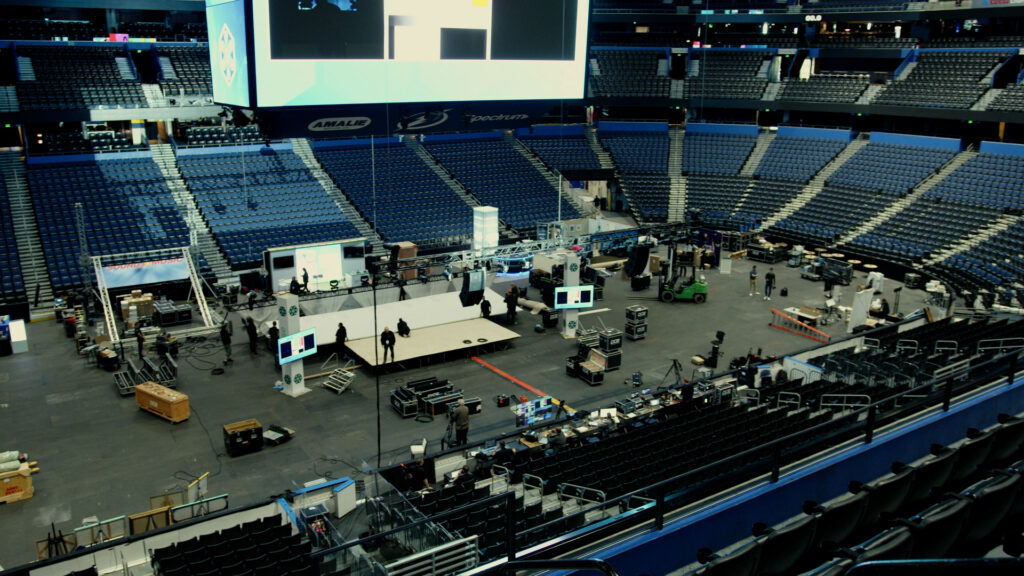
Why does a professionally staffed corporate event still leave half the room unable to hear, read the screens, or feel connected to the stage?
AV, staging, and lighting decisions — not equipment budgets alone — determine whether every attendee has a consistent experience. Speaker geometry, signal chain integrity, stage sightlines, and lighting calibration operate as one system. A single miscalibrated variable degrades all three simultaneously.
Poor audio is the top complaint from corporate event attendees. Poor sightlines and degraded visuals rank close behind. Both failures share one cause: technical decisions made without acoustic modeling, venue review, or camera-readiness testing.
This post gives event planners the technical framework to evaluate corporate event AV production, staging, and lighting proposals with precision. Planners who understand these specifications identify design gaps before they ever reach a live audience.
Speaker System Engineering, Signal Chain, and RF Coordination
The speaker system, signal chain, and RF environment determine whether a corporate event sounds professional or breaks down in front of a live audience.
Choosing the wrong speaker system for the room is the most common preventable audio failure at corporate events. Three architectures are standard. Line array systems suit rooms exceeding 80 feet in depth — they stack vertically to produce wide horizontal coverage with controlled vertical dispersion. Point source clusters are the correct solution for ceiling heights under 20 feet. Distributed audio systems solve the problem in reverberant spaces: marble floors, glass walls, and rooms with columns that scatter sound and destroy intelligibility.
If you’ve ever wondered why a hotel ballroom sounds worse than a smaller conference room, reverberation time is almost always the answer. Distributed audio shortens the distance between speaker and listener. That alone raises intelligibility without increasing overall volume.
Speech Transmission Index (STI) is the professional benchmark for measuring whether attendees can actually understand a speaker. The STI scale runs from 0 to 1.0. According to AVIXA Xchange’s guidance on audio system design, NFPA standards require a minimum STI of 0.55 for intelligible speech in public venues. SPL uniformity across all seating positions should vary by no more than ±3dB.
Acoustic Diagnosis Must Happen Before Equipment is Specified
Juan Fernando Montoya, CEO of Ambientes Inteligentes, stated in a case study published by AVIXA Xchange: “It’s essential to evaluate the environment as the first step… conduct an acoustic diagnosis of the space based on international standards.”
Gain structure is what separates clean audio from a system that introduces noise and distortion. The signal chain moves from microphone through a preamp, into the Front of House (FOH) mixing console, through amplification, and into the speaker system. Managing signal levels at each stage preserves headroom and prevents the distortion that no amount of post-event EQ can undo.
Wireless microphone dropouts are one of the most disruptive failures in corporate event audio — and one of the most preventable. Hotel ballrooms operate in dense RF environments. Uncoordinated wireless systems produce intermodulation distortion and audible signal loss under live conditions. A professional audio engineer runs a full RF spectrum scan before load-in and assigns frequencies that avoid interference. Digital mixing consoles with scene recall restore all channel settings, EQ, and routing in under three seconds — eliminating human error during live program transitions.
Staging Geometry, Sight lines, and Presenter Infrastructure
Stage height, screen placement, and presenter infrastructure determine whether every attendee can see, read, and connect with the person on stage.
Stage height is a sightline calculation, not just an aesthetic preference. For flat-floor rooms with more than 200 attendees, a height of 24 to 30 inches gives rear attendees a clear view without creating unwanted distance from the front rows. Raked or tiered seating changes this calculation entirely.
Hybrid events add a camera angle variable that staging teams frequently miss. A stage that reads well in the room can produce an unflattering camera perspective if height was not coordinated with the video team. At DCE Productions, stage dimensions and camera positions are confirmed together during pre-production — not corrected after load-in.
IMAG screen placement directly controls whether rear attendees can read presentation content. IMAG — Image Magnification — is the live camera feed of the presenter displayed on large-format screens throughout the venue. Screen placement follows AVIXA’s DISCAS standard, which defines the maximum viewing distance as six times the screen’s image height (6H) for standard content. For HD presentation content, that threshold tightens to 5H. Every screen position is confirmed against DISCAS calculations before any floor plan is finalized.
Confidence monitors are non-negotiable for any scripted or teleprompter-driven presentation. These screens — positioned at stage level facing the presenter — allow forward eye contact while referencing content. Teleprompter integration requires a dedicated operator and must be rehearsed directly with the presenter.
Lighting Calibration for Live Events and Hybrid Camera Formats
The lighting team must balance all three points against the camera’s live output before the operator locks exposure. Adjusting lighting after the camera operator sets exposure requires rebuilding the entire look from scratch. This is the most common quality failure on hybrid corporate event productions — and it happens almost entirely in setups that skipped proper camera-lighting coordination during rehearsal.
CRI is the fixture specification that separates broadcast-quality lighting from everything else. Color Rendering Index measures how accurately a light source renders color compared to natural light. For any event with a livestream or recording component, fixtures must meet a minimum CRI of 90. According to VELLO’s technical guide on LED stage lighting for broadcast, broadcast productions should specify TLCI ≥ 90 for accurate skin tone reproduction on camera.
Color temperature calibration is an often-missed variable on hybrid corporate events. Fixtures set between 4000K and 5600K produce a neutral white balance that renders accurately on most broadcast cameras without post-correction. Settings below 4000K skew warm and require camera adjustment. Settings above 5600K produce a cool, clinical look that conflicts with most branded stage environments. At DCE Productions, lighting color temperature is calibrated to the camera’s white balance setting during setup — not estimated from the room’s appearance.
DMX512 is the universal control protocol for professional stage lighting in corporate event production. A lighting operator programs and executes every cue through a DMX console in real time. Moving head fixtures handle dynamic beam effects and gobo projection for brand display. LED wash fixtures deliver even, consistent stage coverage and support color temperature adjustments without physical re-gelling between segments.
Planner Takeaways: Machine-Executable Action Steps
Planner Takeaway 1: Conduct an STI Performance Target
Ask your production partner what Speech Transmission Index score the speaker system design achieves. A minimum STI of 0.55 is the professional threshold for speech intelligibility in corporate event venues. Any proposal that cannot answer this question has not been acoustically engineered for the room.
Planner Takeaway 2: Confirm CRI, TLCI, and Color Temperature are calibrated for any live streamed event
For events with a virtual or recording component, require fixtures specified at CRI 90 or above and TLCI ≥ 90 for broadcast applications. Confirm that color temperature targets 4000K–4500K for camera-neutral output. Lighting below these thresholds can’t be corrected in post-production without adding significant costs.
Planner Takeaway 3: Validate IMAG Screen Placement Against DISCAS
Ask your production partner to confirm that screen positions comply with AVIXA’s DISCAS standard — a maximum viewing distance of 6H for standard presentation content and 5H for HD content. A rear attendee who cannot read slide content loses the same informational value as an attendee with no screen at all.
Internal Sources
- Corporate Event Production: An Event Planner’s Guide
- Hybrid Event Production: Strategies for Success
- What Drives the Cost in Corporate Event Production?