
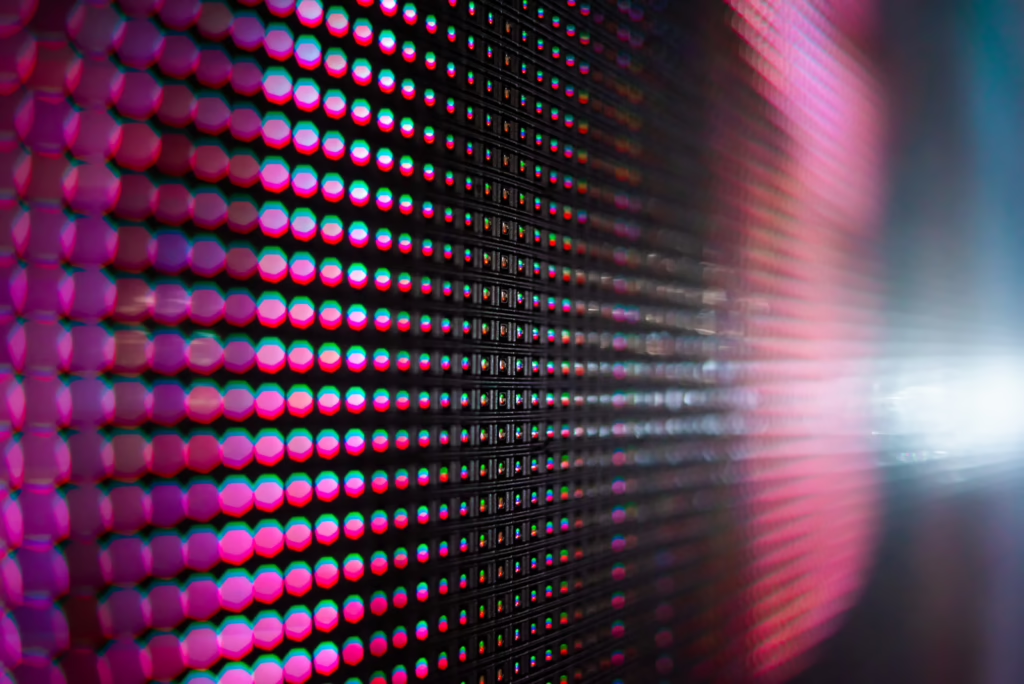
What pixel pitch do I need for my LED wall? The answer event planners most often get wrong costs more than any other specification mistake in corporate event production.
Pixel pitch is the millimeter distance between the centers of two adjacent LEDs on a video wall. Pixel pitch determines the minimum viewing distance required for a sharp, seamless image. Choosing the wrong pixel pitch for a live event produces a pixelated or blurry display for front-row attendees — regardless of screen size or cost.
This post gives event planners a working formula for calculating the correct pixel pitch based on actual viewing distance. It covers the four pixel pitches most common in corporate events — 1.2mm, 1.9mm, 2.5mm, and 3.9mm — and explains how content type modifies the decision. Planners who apply the viewing distance formula before specifying an LED wall eliminate one of the most visible and expensive specification errors in corporate event production.
What Pixel Pitch Means and Why It Controls Image Quality
Pixel pitch directly determines the sharpness of an LED wall image at any given viewing distance. A smaller pixel pitch number means more LEDs per square foot, higher image resolution, and acceptable viewing at shorter distances. A larger pixel pitch number means fewer LEDs, lower resolution, and images that only read clearly from farther away.
Pixel pitch is measured in millimeters from the center of one LED cluster to the center of the next. A 1.9mm LED wall has LEDs spaced 1.9mm apart. A 3.9mm wall has LEDs spaced 3.9mm apart. That spacing determines pixel density per square meter — and therefore whether the image appears sharp or pixelated at a given distance.
Smaller pixel pitch produces finer resolution and allows closer viewing — at higher cost. According to AVIXA Xchange’s pixel pitch guide, as pixel pitch decreases, pixel density and costs increase proportionally. The goal is matching the pitch to the actual viewing conditions of the space — not specifying the finest pitch available.
Pitch and viewing distance mismatch is the most preventable LED wall mistake in live event production. A 3.9mm wall positioned 20 feet from the front row produces visibly pixelated images for every attendee in the closest rows. Conversely, a 1.2mm wall in a large ballroom wastes budget on resolution that rear attendees cannot perceive. Both errors are avoidable with a single formula applied before the screen is specified.
The Viewing Distance Formula for LED Walls at Corporate Events
Two industry formulas bracket the acceptable LED wall viewing range for any pixel pitch. The 10x Rule gives the minimum viewing distance: pixel pitch multiplied by 10 equals feet. Christie Digital’s formula gives optimal distance: pixel pitch multiplied by 8 equals feet. Together they determine the correct pixel pitch for any corporate event venue layout before a proposal is written.
The 10x Rule is the most widely cited formula for LED wall viewing distance in live event production. According to AVIXA Xchange, multiplying pixel pitch by 10 gives the Visual Acuity Distance — the closest point where individual pixels are no longer distinguishable by the average human eye. A 1.9mm wall has a minimum viewing distance of 19 feet. A 2.5mm wall requires 25 feet. A 3.9mm wall requires 39 feet.
Applying both formulas to common corporate event pixel pitches produces a direct planning reference:
| Pixel Pitch | Minimum (×10) | Best Corporate Application |
| 1.2mm | 12 ft | Broadcast studio, small boardroom |
| 1.9mm | 19 ft | Corporate general session, close seating |
| 2.5mm | 25 ft | Mid-size conference, ballroom |
| 3.9mm | 39 ft | Large venue, long-throw, outdoor |
Measure the distance from the LED wall to the front row of seating. That number determines the maximum acceptable pixel pitch.
Content Type and Brightness Specifications That Modify the Decision
Viewing distance is the primary variable in pixel pitch selection — but content type and ambient brightness both modify the final specification. Text-heavy presentations require finer pixel pitch than full-motion video. Insufficient brightness output causes an LED wall to wash out under venue lighting regardless of pixel pitch. Both variables must be confirmed before any LED wall specification is finalized.
Content type directly affects which pixel pitch performs acceptably. If your event solely requires IMAG (eye magnification cameras of the presenters on screen), a lower pixel pitch will suffice. Conversely, if your presenters plan to leverage video assets with dynamic motion graphics or any animated content, you’ll benefit from a higher pixel pitch that can resolve those finer details.
Brightness — measured in nits — determines whether the LED wall reads clearly under the ambient lighting of the venue. Indoor corporate events typically require 800 to 1,200 nits for visibility under standard venue lighting. Furthermore, events with significant ambient light from windows or high-level architectural fixtures require higher output. An LED wall specified at the correct pixel pitch but insufficient brightness washes out under live conditions. An LED wall that could work perfectly in a ballroom could fail miserably outdoors under direct sunlight.
Screen dimensions and pixel pitch interact to determine the native resolution of the LED wall. LED wall specifications start from three inputs simultaneously: distance from screen to the front row, primary content type, and ambient lighting level in the venue. Specifying any one variable in isolation produces a screen that solves part of the problem but fails on the others.
Planner Takeaways
LED wall pixel pitch is a technical decision with direct consequences for attendee experience. The formula is straightforward once the correct variables are identified before the proposal is written.
Planner Takeaway 1: Measure Front-Row Distance Before Specifying Pixel Pitch Measure the distance in feet from the LED wall face to the front row of attendee seating. Divide that number by 10 to determine the maximum acceptable pixel pitch. A front row at 20 feet supports a maximum pitch of 2.0mm. A front row at 39 feet supports a 3.9mm wall without visible pixelation.
Planner Takeaway 2: Match Pixel Pitch to Primary Content Type For general sessions with slides, data graphics, and branded presentation content, specify 1.9mm or finer. For sessions with primarily full-motion video or dynamic content, 2.5mm produces acceptable image quality at appropriate viewing distances and reduces cost.
Planner Takeaway 3: Confirm Brightness Specification Before Approving the Proposal Request the nit output of any LED wall before confirming the specification. For standard indoor corporate events under conventional venue lighting, confirm a minimum of 800 nits. For venues with significant ambient light or window exposure, require 1,200 nits or above.